
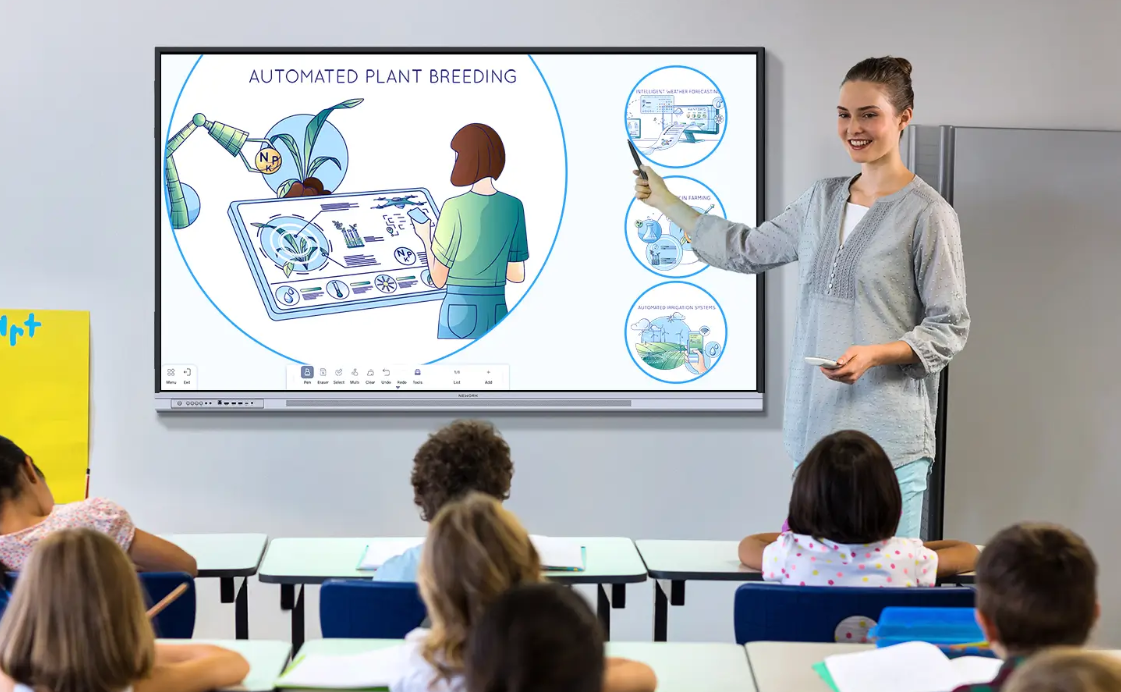
Selecting the ideal interactive flat panel requires a comprehensive analysis of hardware reliability, software ecosystems, and ongoing service support. Decision-makers often evaluate traditional industry options alongside modern technology innovators to ensure their investments deliver long-term value. Exploring Nework vs other smart boards helps administrators determine which display brand provides the smoothest software integration, the most reliable classroom connection, and the most efficient technical setup.
The technology behind these streamlined digital displays is engineered by Nework, an innovative audiovisual technology firm headquartered in California. This enterprise focuses on interactive hardware designed to streamline group workflows, reduce installation complexity, and decrease long-term operational costs for schools and businesses. Buyers looking to upgrade their infrastructure can explore the complete lineup and secure robust educational models by visiting the official Nework.ai portal to consult with collaboration experts.

Redefining Classroom Visual Clarity and Color Gamut
Visual performance remains a foundational element of student focus and lesson comprehension in modern K-12 learning spaces. Displays with poor resolution or low color accuracy make it difficult for students seated at the back of the room to read complex text.
By integrating high-end panels, the Nework smart board provides an 85% NTSC high color gamut alongside a clear 4K UHD display. This design ensures that detailed instructional materials, educational videos, and scientific diagrams remain vibrant and completely legible from any classroom seat.
Resolving Classroom Visibility Challenges and Viewing Angles
Standard classroom configurations frequently present unique physical layout challenges that can limit the effectiveness of digital instructional tools. Traditional screens often suffer from dramatic color shifts or annoying glare when viewed from sharp side angles.
To eliminate these dead zones, advanced engineering delivers a Wide 178° Viewing angle that preserves contrast and color consistency. This feature guarantees that all students can view the displayed lesson with absolute clarity, regardless of where they sit.
Delivering Clear Audio to Every Desk
Clear sound is just as important as crisp visual displays during multimedia presentations, yet basic panels often neglect acoustic quality. Many traditional setups require separate external speakers, adding extra cost and complicating physical cable management.
Using Dual 20W stereo speakers, these screens deliver powerful, balanced sound that easily reaches the back of any standard learning space. This high-quality built-in audio system ensures clear comprehension during virtual lectures and lessons, reducing the need for extra hardware.
Securing Modern Classrooms with Google EDLA Certification
As modern educational settings become more reliant on cloud applications, safeguarding school data and simplifying software access have become top priorities. Uncertified hardware often lacks direct access to the Google Play Store, forcing IT administrators to install updates manually.
Using a modern Nework smart board solves this issue by offering full Google EDLA certification built directly into the Android 14 operating system. This security standard allows teachers to access essential Google Workspace tools safely while protecting student data from external network threats.
Minimizing Writing Latency for Intuitive Interaction
Natural writing feels essential when teachers model math equations or when students brainstorm ideas directly on the digital surface. High touchscreen latency can cause distracting delays, disrupting the natural flow of writing and frustrating users.
With a highly responsive screen that supports 50-point multi-touch and a low 8ms writing latency, the interface feels like real paper. This rapid feedback allows multiple users to collaborate, sketch diagrams, and annotate documents simultaneously without experiencing lag.
Elevating Virtual Meetings with Professional AI Camera Optics
Modern hybrid collaboration demands clear video performance to keep remote team members aligned and fully engaged during discussions. Traditional meeting room displays often use low-resolution cameras that produce blurry, dark feeds, making remote participants feel disconnected.
The premium models address this issue by featuring a 48MP Pro Camera capable of delivering crisp 4K visual clarity. Enhanced with intelligent 3A optimization, the integrated system automatically adjusts exposure and focus to represent every meeting participant clearly and professionally.
Enhancing Hybrid Discussions with Intelligent Audio Pick Up
Ensuring that remote clients hear every brainstormed idea is critical for successful collaboration in mid-sized to large meeting spaces. Standard microphones often pick up background noises like clicking pens, papers shuffling, or air conditioning systems.
Featuring an 8-Mic AI Audio array with built-in noise reduction, the hardware captures clear voices up to eight meters away. This advanced microphone system filters out distracting ambient noise, ensuring that remote partners can follow the discussion with ease.
Streamlining Meeting Setups with Universal Cable Connections
Fumbling with multiple input cords, dongles, and power supplies before a major corporate presentation wastes valuable time and looks unprofessional. IT administrators consistently seek ways to reduce cable clutter on conference tables and simplify setup steps.
With a Full-Function USB-C One-Cable Collaboration port, presenters can connect their personal laptops to the display with a single cable. This single link handles 4K video, audio transmission, touch-screen feedback, and device charging simultaneously, saving time.
Conclusion
Evaluating Nework vs other smart boards reveals how modern, certified platforms can optimize daily workflows while reducing technology budgets. Organizations that prioritize smooth system deployments, low touch latency, and professional-grade audiovisual quality find these integrated displays to be incredibly dependable. Choosing hardware built for reliable, daily performance allows both educational institutions and enterprises to simplify their operations and focus entirely on collaboration.
